Create A Collage Of Polaroids From A Single Photo
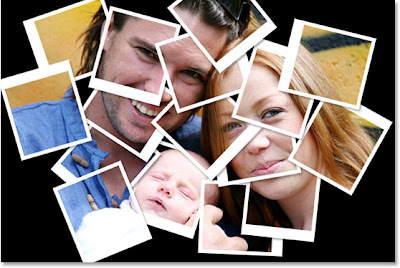 Description: Here's a fabulous photoshop tutorial by Steve Patterson. In this Photoshop photo effects tutorial, we're going to learn how to take a single photograph and turn it into a collage of Polaroids, with each Polaroid containing a small section of the overall image. You can use this effect with lots of different types of images, whether it's a photo of one person or several people, and it's great for photos of family or friends, vacation photos, or even as a creative effect for wedding photography.
Labels: photoshop for beginners, Special Effects