Photoshop Tutorial: Create A Colorful Light Burst Text Effect In Photoshop
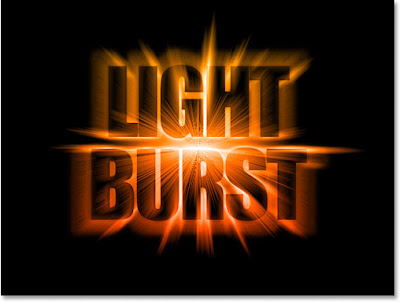
Brief Description: In this Photoshop text effects tutorial, we're going to see how to engulf our text in an explosion of light and color. There's quite a few steps involved, but they're all very easy.
Read Full Tutorial Here... (external link)
Labels: Special Effects, Text Effect





Hi...
What a great tutorial en what a great effect.
But,... I was wondering...Is it possible to change the black ground to a image or other colour or transparancy and still keep the same awesome effect...?
Posted by Unknown |
March 31, 2008 at 3:47 AM
Unknown |
March 31, 2008 at 3:47 AM
Hi Justin,
Yes it can be done very easily. Start with your desired image in place of the white background..
Posted by Unknown |
March 31, 2008 at 3:55 AM
Unknown |
March 31, 2008 at 3:55 AM
Thx for the quick respons.
I was experimenting with an image as a layer between the text layers and changing the opacity..
Which works quit well by the way..
I'll try it with an image instead of the white background later.
Thx again.
Posted by Unknown |
March 31, 2008 at 4:15 AM
Unknown |
March 31, 2008 at 4:15 AM